

Download Pass Keylogger – Free, Secure & Stealthy Keystroke Tracker for Windows & Mac
Pass Keylogger is a powerful, lightweight software designed to record every keystroke on your computer—perfect for parents monitoring children's online behavior, employers ensuring workplace productivity, or individuals safeguarding their devices from unauthorized access. With its stealth mode and automatic logging, Pass Keylogger runs invisibly in the background, capturing everything typed, from passwords to messages, and storing logs securely on your local drive. The intuitive interface makes installation simple, requiring no technical expertise.
Whether you're using Windows or Mac, this free tool offers reliable monitoring with minimal system impact. With the ability to export logs to text files and view them anytime, Pass Keylogger provides full transparency and control over what happens on your computer. Its secure, offline storage ensures your data stays private and protected from online threats.
Stealth Monitoring Made Simple: How Pass Keylogger Works
Pass Keylogger stands out in the world of monitoring software thanks to its seamless stealth functionality. Once installed, the program operates silently in the background, making it nearly impossible for users to detect its presence. This is especially useful in scenarios where you need to monitor activity without alerting the person using the computer—such as when parents want to ensure their kids aren't accessing inappropriate content or when employers need to verify that company resources are being used responsibly. The software begins recording keystrokes automatically after installation, capturing every character typed, including passwords, emails, chat messages, and website searches. All data is saved locally in encrypted log files, which means no sensitive information is sent to external servers—ensuring maximum privacy and security. You can access these logs at any time through the user-friendly dashboard, which displays timestamps and session details for better context. The logging process is completely automated, requiring no manual intervention. This makes Pass Keylogger ideal for long-term monitoring without the hassle of constant oversight. Additionally, the software is designed to be lightweight, consuming minimal CPU and RAM, so it won’t slow down your system. Whether you're using a Windows PC or a Mac, Pass Keylogger integrates smoothly and continues working even during system restarts. Its simple setup and reliable performance make it a go-to solution for anyone seeking a discreet, effective monitoring tool.Key Features That Set Pass Keylogger Apart
- Stealth Mode Operation: Runs invisibly in the background, undetectable by casual users.
- Automatic Keystroke Logging: Starts recording immediately after installation—no manual triggers needed.
- Local Data Storage: Logs are saved securely on your device, ensuring privacy and preventing data leaks.
- Exportable Log Files: Easily export logs to plain text files for review or sharing.
- Multi-Platform Support: Compatible with Windows and Mac operating systems.
- Minimal System Impact: Low resource usage ensures smooth performance on older and newer machines.
- Simple Installation: No technical knowledge required—install and start monitoring in minutes.
- Timestamped Entries: Each log entry includes time and date for accurate tracking.
Easy Installation & Practical Usage for All Users
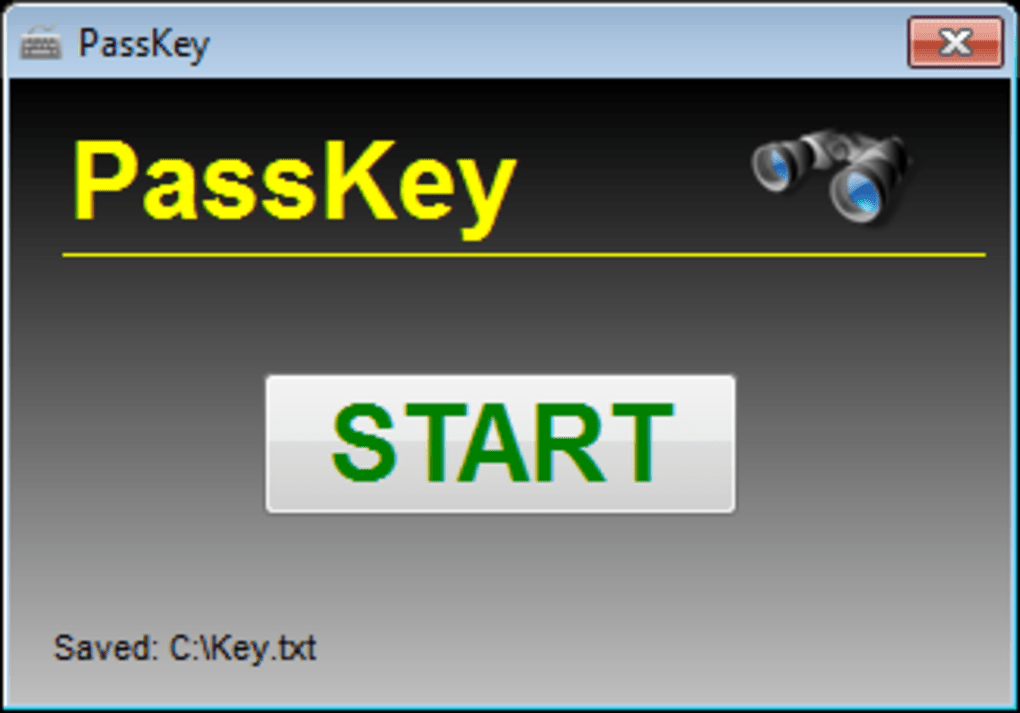
Getting started with Pass Keylogger is a breeze, even for users with no prior experience in monitoring software. The download process is straightforward—simply visit the official website, select your operating system (Windows or Mac), and begin the installation. The installer is compact and quick, taking less than a minute to complete. Once installed, the program runs automatically in the background with no need for constant supervision. To access your logs, simply open the Pass Keylogger dashboard, which features a clean, intuitive layout. You can view real-time entries, filter logs by date, or search for specific keywords—perfect for tracking particular activities. Exporting data is equally simple: just click the export button and choose your preferred format (TXT). This feature is especially helpful for parents who want to review their child’s online behavior or employers who need to generate reports. The software also supports automatic log rotation, which prevents the file size from growing too large. For added security, you can set a password to protect the dashboard, ensuring only authorized users can access the logs. The entire process—from download to monitoring—is designed with user convenience in mind. Whether you're monitoring a personal device or a shared work computer, Pass Keylogger delivers a hassle-free experience without compromising on functionality.Compatibility & System Requirements
Pass Keylogger is engineered to work across multiple platforms, making it accessible to a wide range of users. It supports all major versions of Windows, including Windows 10, Windows 11, and older versions like Windows 7 and 8.1. On the Mac side, it’s compatible with macOS Big Sur, Monterey, Ventura, and Sonoma, ensuring broad coverage for Apple users. The software requires minimal system resources—just 100 MB of free disk space and a stable internet connection (for optional updates). It runs efficiently on both low-end and high-end machines, maintaining smooth performance even during heavy usage. No additional drivers or software are required—everything is included in the installer. The application is designed to survive system reboots and startup processes, so monitoring continues uninterrupted. For users concerned about privacy, it’s important to note that all data remains stored locally, with no automatic cloud uploads unless manually configured. This offline-first approach enhances security and reduces the risk of data breaches. Whether you're using a desktop, laptop, or shared computer, Pass Keylogger adapts seamlessly. Its cross-platform compatibility and lightweight design make it a versatile tool for home, office, or educational environments.Pros & Cons: Is Pass Keylogger Right for You?
- Pros:
- Free to download and use with no hidden costs
- Stealth mode ensures undetectable operation
- Local storage keeps data secure and private
- Simple, no-fuss installation and setup
- Supports both Windows and Mac platforms
- Exports logs to plain text for easy review
- Low system resource usage
- Automatic logging with timestamped entries
- Cons:
- Limited to keystroke logging—no screenshot or activity capture
- No built-in real-time alerts or notifications
- Advanced features require manual configuration
- No mobile app for remote access
- Support is limited to email-based assistance







